Page ↑ / Page ↓ to move · scroll works too
What we’re building toward
 git push Todo app repo
 Webhook GitHub Actions
 VM listener Python / Bash
 Pull latest git
 Build image Podman
 Metrics & alerts Grafana
 Drain old slot graceful stop
 Switch traffic nginx / Caddy
 Health check before switch
 Deploy idle slot blue/green
Userland is where you actually live
The shell you type into, the core utilities you run constantly, and the system libraries programs link against all run in less-privileged user space, not inside the kernel:
This is, largely, the “GNU” half of GNU/Linux from Part One.
One kernel, three family trees
Almost every distro you’ll run into traces back to one of three originals:
 Debian
 Ubuntu
 Linux Mint
 Kali Linux
 Raspberry Pi OS
 Red Hat Linux
 Fedora
- RHEL
 Rocky Linux
 AlmaLinux
 Bazzite
 Arch Linux
 Manjaro
 CachyOS
 SteamOS
Red Hat Linux split in 2003 into Fedora (community, fast-moving) and RHEL (enterprise) — Rocky Linux and AlmaLinux exist as free RHEL-compatible rebuilds, and Bazzite is a gaming-focused spin of Fedora’s immutable desktop. This course runs on RHEL, the middle tree.
Bare metal: no layer in between
An OS installed directly on physical hardware, with nothing abstracting the machine underneath it. Maximum performance, zero flexibility — one operating system per box, full stop.
Fine for a single dedicated server.
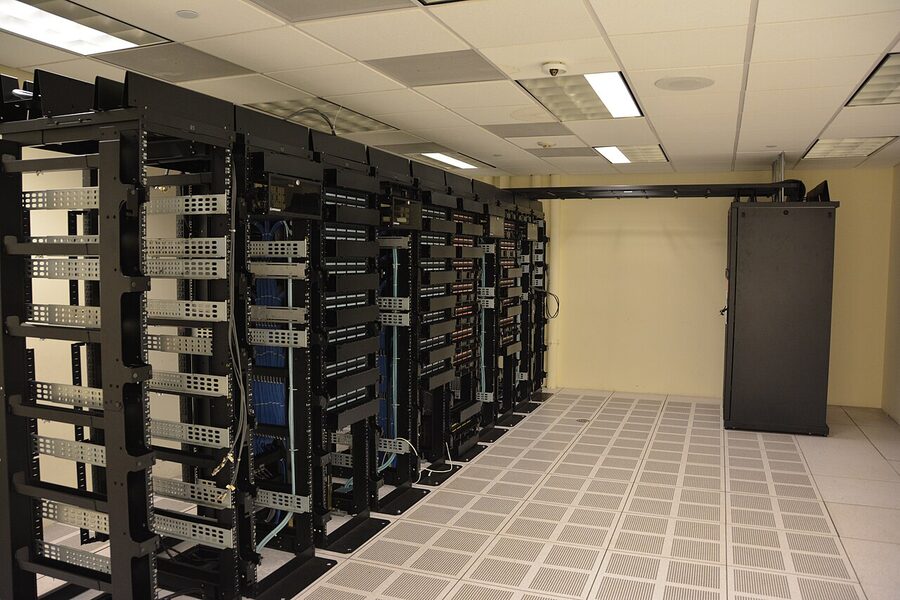
Photo: Carl Lender, CC BY 2.0


Type 1 — bare-metal
Runs directly on hardware, no host OS underneath it. Proxmox VE — built on KVM, the Linux kernel’s own virtualization module, plus QEMU — is Type 1. This is what runs on the rented VPS behind this course.

Type 2 — hosted
Runs as an ordinary application on top of a general-purpose host OS — VirtualBox on your laptop, for instance. Simpler to install, with more overhead.
Two ways to slice one machine
Same hardware underneath — a different number of layers between it and your app:
Virtual machine
Container
One fewer layer, and no guest kernel to boot — Podman is the container engine this course uses: daemonless, rootless by default, and — unlike  Docker’s original architecture — with no single long-running root process managing every container.
The switch
Switch proxy nginx / Caddy upstreamIf the health check fails, the switch simply never happens — the old slot just keeps serving traffic, completely unaffected.